> For the complete documentation index, see [llms.txt](https://efplus.gitbook.io/user-guides/llms.txt). Markdown versions of documentation pages are available by appending `.md` to page URLs; this page is available as [Markdown](https://efplus.gitbook.io/user-guides/english/next-steps-after-receiving-your-eforest-crypto-card/5.-steps-to-top-up-crypto-into-the-card.md).
# 5. Steps to Top-Up Crypto into the Card
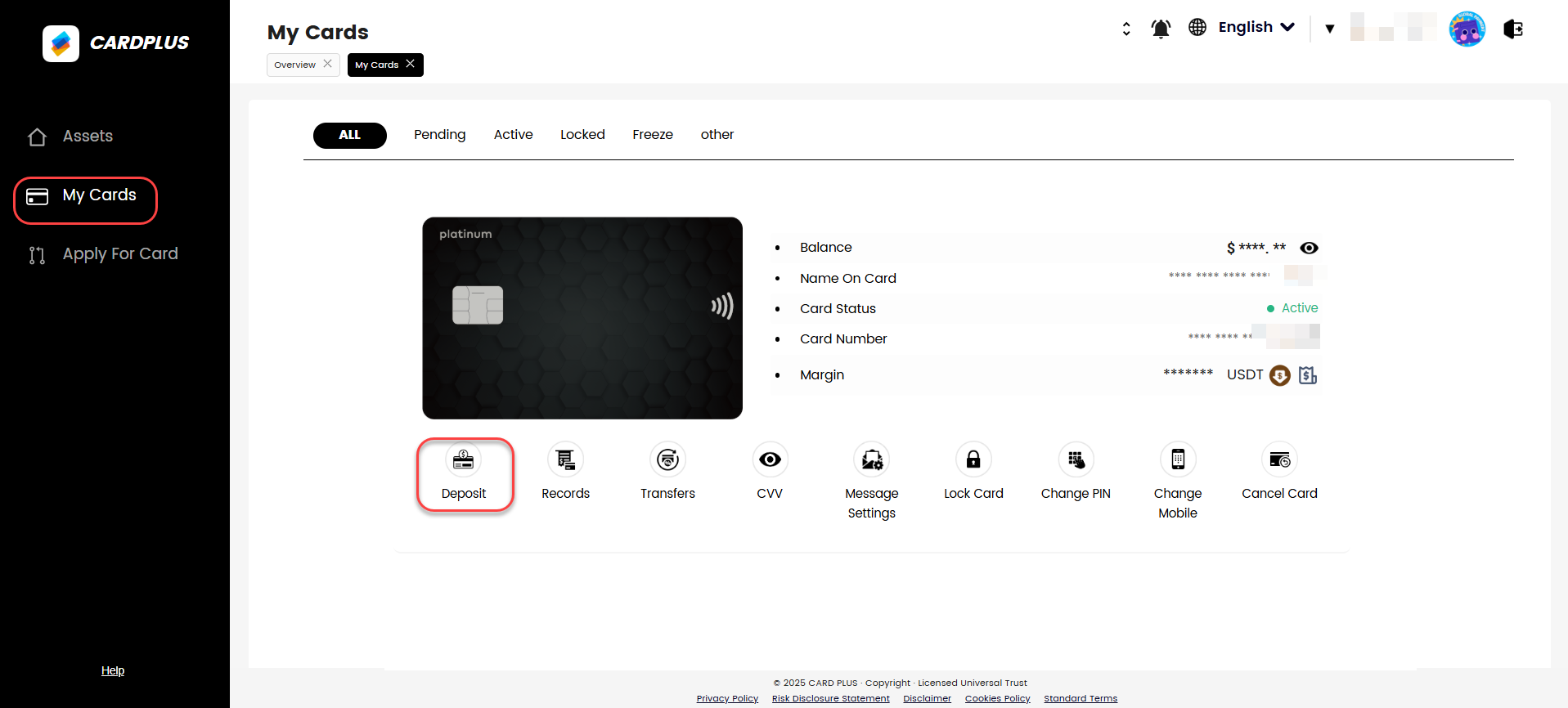
### Step 1 - Under the "My Cards" page, click the "Deposit" button.
### Step 2 - Read the pop-up notice and click on "I Understand".
{% hint style="warning" %}
Due to recent legislation changes to the anti-money laundering laws in Hong Kong, **you are no longer able to withdraw assets once they have been loaded on to the CARDPLUS card.**
It is strongly advised to only load what you plan to spend or withdraw on the card.
{% endhint %}
### Step 3 - A "Load Card" window will pop up. Top up/recharge the card from your account balance.
{% hint style="info" %}
If you do not have any balance in your account, you may proceed to top up by following the previous steps: [Steps to Making an Initial Deposit into Card Plus Account.](broken://spaces/RIANrKgskb9eZDlhFaNx/pages/u0s5GP4j2ptqrIfbpMY1)
{% endhint %}
### Step 4 - In the "Load Card" screen, under "Choose Asset," select "USDT" as your preferred option for topping up your card balance. Your available balance on this account will be displayed on the screen.
### Step 5 - Select the card you wish to top up. Make sure the last 4 digits match your physical card number, especially if you own more than one card.
### Step 6 - In the "Transfer amount" field, enter the amount you wish to top up. Ensure the amount you enter is within your available balance to avoid any payment issues.
### Step 7 - Click the "Confirm" button to initiate the top-up request.
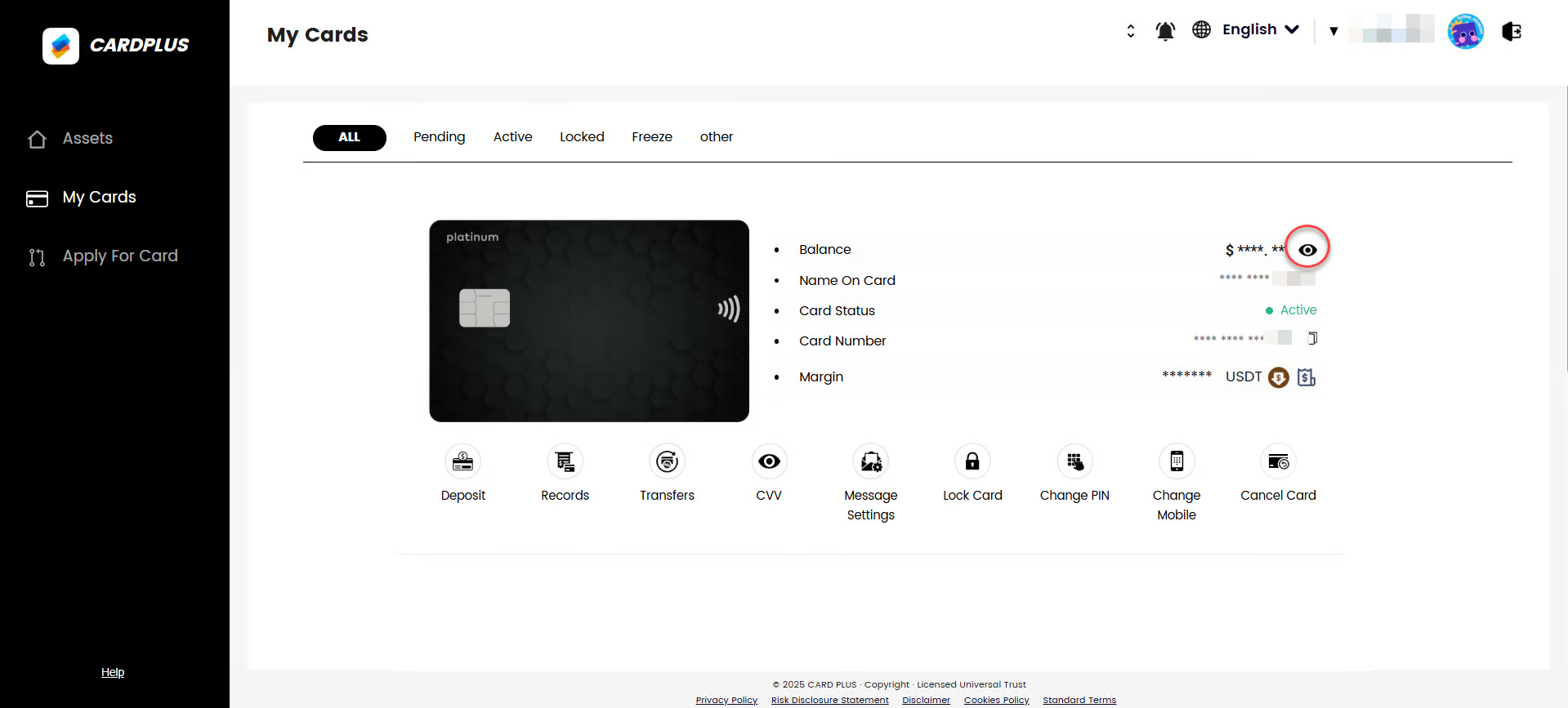
### Step 8 - Your card balance should now reflect the newly topped-up amount. You can check your card's balance by clicking the 'eye' button.
### Step 9 - To check card transaction details, click on "Records".
{% hint style="info" %}
Note: If you encounter any issues or have any questions, kindly reach out to **Card Plus customer service** at for further assistance.
{% endhint %}
**Please read the updated Terms and Conditions:**
**Please read the updated Fees Structure:**